 admin@graminguru.in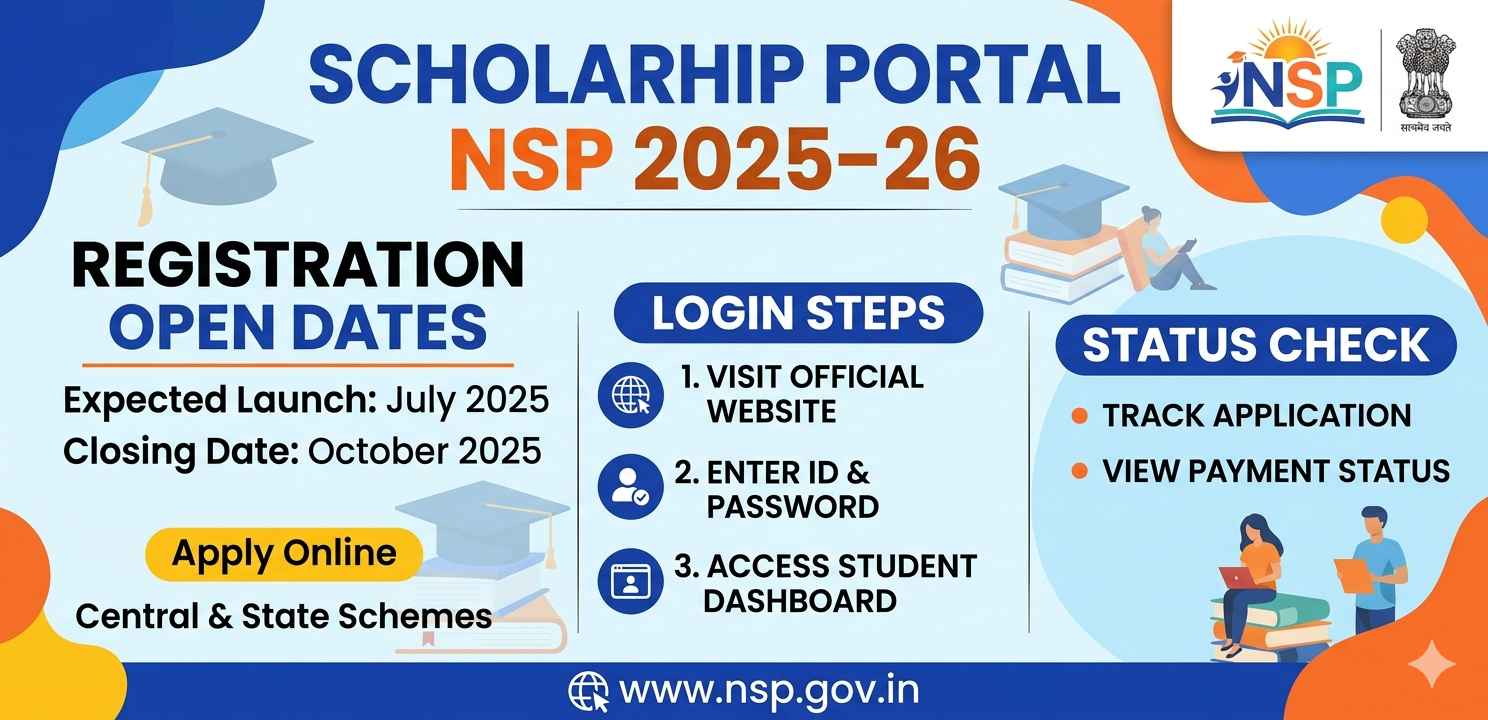
Introduction
Every year, millions of students in India wait for one important announcement — when will the scholarship portal NSP open for the new academic year. If you’re a student from a minority community, SC/ST background, or belong to a lower-income family, the National Scholarship Portal is probably one of the most important government websites you’ll ever use.
The scholarship portal NSP — officially known as the National Scholarship Portal — is a single digital platform managed by the Government of India. It brings together dozens of central and state scholarship schemes under one roof. Instead of visiting multiple departments or standing in long queues, students can now apply online, track their application, and receive money directly in their bank accounts.
This guide covers everything from registration to login to checking your status — step by step, in plain language.
What Is the Scholarship Portal NSP?
The scholarship portal NSP was launched by the Ministry of Electronics and Information Technology (MeitY) under the Digital India initiative. It works as a one-stop solution for scholarship-related services.
Through this portal, both fresh applicants and renewal students can apply for scholarships under schemes like:
- Pre-Matric Scholarships
- Post-Matric Scholarships
- Merit-cum-Means Scholarships
- Central Sector Scheme of Scholarships
- Top Class Education Scheme
What makes this platform useful is that it connects directly with Aadhaar, DigiLocker, and PFMS (Public Financial Management System), making disbursement faster and more transparent.
NSP 2025–26 Registration Open Dates
One of the most searched questions right now is: When does the scholarship portal NSP open for 2025–26?
Based on previous years, the scholarship portal NSP typically opens for fresh registrations in the months of August and September. For 2025–26, the portal is expected to open around August 2025, with the last date for student applications usually falling somewhere in October or November 2025.
However, these dates can vary depending on the scheme. Some state-specific schemes may have different timelines. So it’s a good habit to check the official website regularly.
To avoid missing out, bookmark the official portal: https://scholarships.gov.in
How to Register on the Scholarship Portal NSP
If you’re a first-time applicant, you need to create a new account. Here’s how to register step by step:
Step 1: Visit the Official Website
Go to scholarships.gov.in. This is the only official scholarship portal NSP website. Avoid third-party sites that may look similar — they could be misleading or fraudulent.
Step 2: Click on “New Registration”
On the homepage, you’ll see a button or link that says “New Registration” or “Applicant Corner – New Registration.” Click on it.
Step 3: Read the Guidelines Carefully
Before filling in any form, read the instructions carefully. The scholarship portal NSP shows a set of important guidelines — these include the documents you’ll need and the eligibility conditions for your specific scheme.
Step 4: Fill in Your Basic Details
You’ll be asked to enter:
- Your name (as per Aadhaar)
- Date of birth
- Mobile number
- Email address
- State of domicile
- Scholarship category (Pre-Matric / Post-Matric / Others)
- Identity details (Aadhaar number or bank account for Aadhaar-exempt cases)
Step 5: OTP Verification
An OTP (One Time Password) will be sent to your registered mobile number. Enter it to verify your identity.
Step 6: Set a Password
After verification, you’ll be asked to set a password for your account on the scholarship portal NSP. Choose something you’ll remember — ideally a mix of letters and numbers.
Step 7: Save Your Application ID
Once registration is complete, note down your Application ID or Registration Number. You’ll need this for login and future reference.
How to Login to the Scholarship Portal NSP
Once you’ve registered, logging in is simple. Here’s how:
Step 1: Go to the Homepage
Visit scholarships.gov.in again and click on “Login” or “Applicant Corner – Fresh/Renewal.”
Step 2: Enter Your Credentials
On the scholarship portal NSP login page, enter:
- Your Application ID or Registration Number
- Your password
- The CAPTCHA shown on screen
Step 3: Click Login
After entering the details, click the login button. You’ll be redirected to your personal dashboard.
From the dashboard, you can:
- Complete and submit your application
- Upload required documents
- Edit your profile (before submission)
- Check your application status
Documents You’ll Need for NSP Application
Before you start filling out the form on the scholarship portal NSP, gather the following documents:
- Aadhaar card (mandatory for most schemes)
- Income certificate (issued by competent authority)
- Caste or community certificate (if applicable)
- Mark sheets or bonafide certificate from your institution
- Bank account passbook (linked to Aadhaar)
- Passport-size photograph
- Fee receipt from your institute (for some schemes)
Make sure all documents are scanned clearly. Blurry or incomplete uploads can lead to rejection.
How to Check Your Application Status on NSP
After submitting your application, you don’t have to just wait and wonder. The scholarship portal NSP allows you to track your application at every stage.
Method 1: Login and Check Dashboard
Log into your account on the scholarship portal NSP. Your dashboard will show the current status — whether your application is under review, verified by the institution, or forwarded to the district/state level.
Method 2: Use the “Check Your Status” Tool
Some versions of the portal have a dedicated “Check Your Status” option that doesn’t require logging in. You just need your Application ID and date of birth.
Understanding the Status Labels
Here’s what common status messages mean:
- Submitted – Your application has been received
- Institute Verified – Your college or school has confirmed your details
- District Verified – District authority has checked and forwarded it
- Defective – Something is wrong; you need to correct it before the deadline
- Sanctioned – Scholarship approved; payment will be processed
- Disbursed – Money has been sent to your bank account
If you see “Defective,” log in immediately and fix the issue. Don’t delay — the scholarship portal NSP has a limited window for corrections.
Common Problems Students Face on NSP (And How to Fix Them)
Aadhaar Mismatch
One of the most common issues on the scholarship portal NSP is Aadhaar name mismatch. If your name on Aadhaar differs even slightly from your school/college records, verification fails. Visit your nearest Aadhaar center to correct name discrepancies before applying.
Bank Account Not Linked to Aadhaar
Scholarships on NSP are disbursed directly through PFMS. Your bank account must be seeded with Aadhaar. Visit your bank branch with your Aadhaar and request the linking if it’s not done yet.
Forgot Password
On the login page of the scholarship portal NSP, click “Forgot Password.” You’ll receive an OTP on your registered mobile number to reset it.
Institution Not Found in Dropdown
If your school or college doesn’t appear in the institute list, it means it hasn’t been registered on the portal. Ask your principal or administrative office to contact the relevant authority to get the institution listed.
Tips for a Successful NSP Application
These are small things but they matter a lot:
- Apply early. Don’t wait for the last week. Servers get overloaded near deadlines on the scholarship portal NSP.
- Use the same details across all documents. Inconsistencies cause delays.
- Keep your mobile number active — all OTPs and updates come via SMS.
- Regularly check your email and the portal dashboard for any communication.
- Make sure your institute submits the verified application before their internal deadline, not just yours.
Final Conclusion
The scholarship portal NSP is one of the most meaningful digital tools the Indian government has created for students. It removes the need for middlemen and ensures money reaches the right person directly. But it only works if you use it correctly and on time.
Whether you’re a fresh applicant or renewing your scholarship for the 2025–26 session, the process is straightforward — register with accurate details, upload the right documents, and check your status regularly. If something looks wrong, act fast.
Students who stay informed and apply without delay are the ones who benefit most from this system. Don’t leave your scholarship to chance — log in today, complete your profile, and make sure everything is in order well before the deadline.
For official information, always refer to the government portal: https://scholarships.gov.in
For additional help with DBT (Direct Benefit Transfer) linked schemes, you can also visit https://dbtbharat.gov.in