
 admin@graminguru.in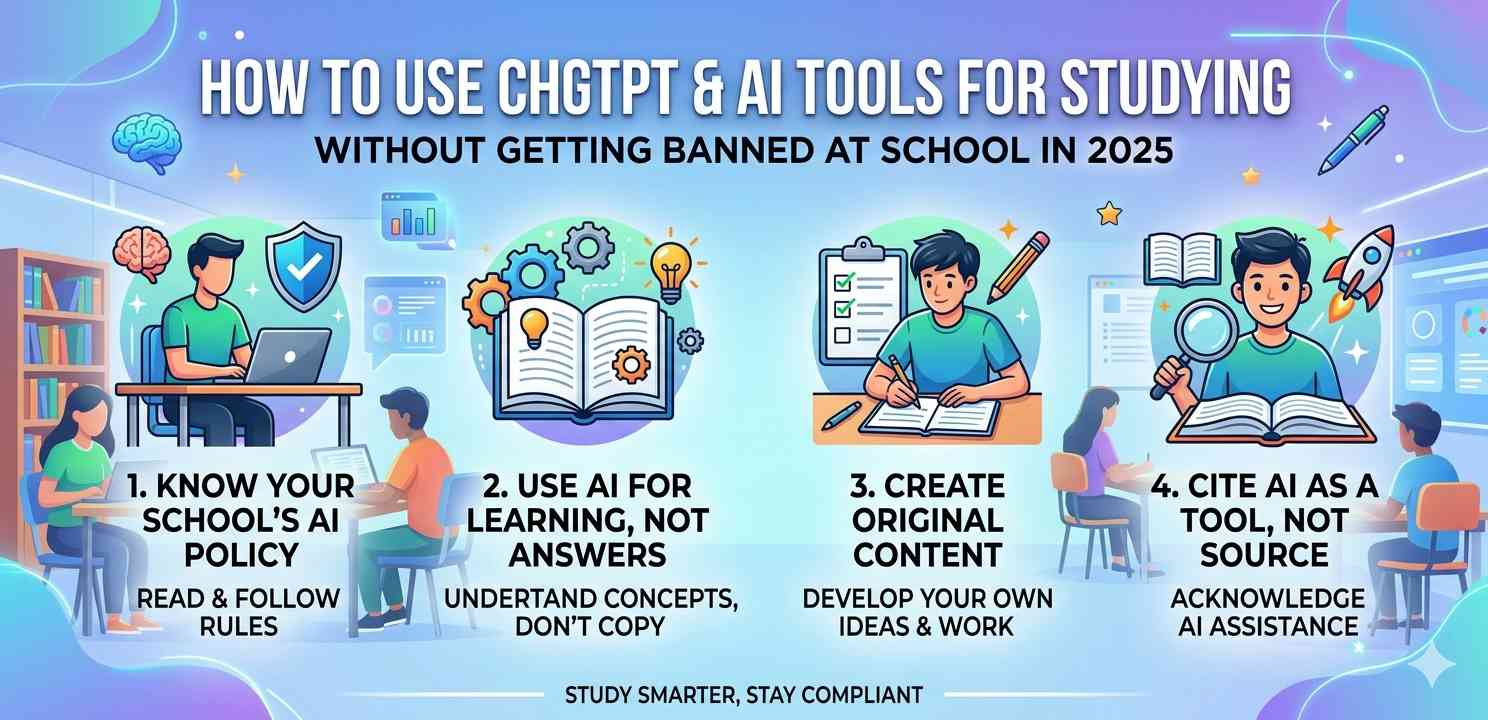
Introduction: If you’re a student in 2025, AI tools like ChatGPT are probably already part of your daily life — whether your school officially allows them or not. The real question isn’t whether you should use AI. It’s how to use ChatGPT and AI tools for studying without getting banned, losing trust with your teachers, or putting your grades at risk. This guide explains exactly that — in plain, honest language.
Let’s be clear upfront: this article isn’t about tricking your school or hiding what you’re doing. It’s about using AI the smart, ethical way — so it actually helps you learn instead of just doing your work for you. There’s a huge difference between the two, and schools are getting better at spotting that difference every semester.
Why Schools Are Banning AI Tools in the First Place
Before we talk about how to use these tools responsibly, it helps to understand why schools are nervous about them. When ChatGPT first became popular in late 2022, students started submitting AI-written essays as their own work. Teachers noticed. Some schools panicked and blocked access to everything — even tools that could genuinely help with learning.
The concern isn’t really about AI itself. It’s about academic honesty. Schools want to know what you understand, not what an algorithm can generate in 10 seconds. That’s a fair concern, honestly.
Key point: Most schools don’t ban AI because it’s dangerous. They ban it because students misuse it — submitting AI text as original work without any real understanding.
Once you understand this, the solution becomes obvious: use AI as a learning partner, not a ghostwriter.
How to Use ChatGPT and AI Tools for Studying Without Getting Banned — The Core Idea
The safest and most effective approach is to use AI the way you’d use a really patient tutor who’s available 24/7. You ask it to explain things, quiz you, break down confusing topics — but you write your own work in the end.
Think about it this way: if you called a friend who happened to be a chemistry professor and asked them to explain oxidation-reduction reactions, nobody would call that cheating. ChatGPT is that friend. The problem only starts if you ask that friend to write your assignment for you and you submit it without changing a word.
Use It to Understand, Not to Submit
This is the golden rule. Use ChatGPT to understand a topic deeply enough that you can explain it back in your own words. Then write your essay, answer your questions, or solve your problems using that understanding. That’s legitimate studying — and it’s how you actually learn.
For example: you’re struggling with the causes of World War I. Ask ChatGPT: “Explain the main causes of World War I like I’m a 14-year-old.” Read the explanation. Ask follow-up questions. Then close the tab and write your own answer from memory and notes. That’s exactly how to use ChatGPT and AI tools for studying without getting banned — and without losing the actual learning value.
Practical Ways Students Can Use AI Tools Safely in 2025
Here are real, school-safe ways to use AI tools as part of your study routine:
1. Use AI as a Study Partner for Explanations
Struggling with a math concept? Ask ChatGPT to walk you through it step by step. Ask it to give you three different explanations until one clicks. This is exactly what good tutors do — and it’s completely ethical.
2. Generate Practice Questions
One of the best uses of AI in studying is asking it to create quiz questions for you. “Give me 10 multiple-choice questions on the French Revolution” is a perfectly legitimate use. You’re using it to test your knowledge, not replace your thinking.
3. Summarize Long Textbook Passages (For Understanding, Not Submission)
If you’ve been staring at a 12-page chapter for an hour and still can’t figure out what it’s saying, paste a section into ChatGPT and ask for a plain-English summary. Use it to get the gist — then go back and read the original with fresh eyes. This is especially helpful for students who are reading in a second language.
Safe tip: Always read the original source after using AI to summarize. The AI summary is the starting point, not the destination.
4. Brainstorm Ideas (Not Full Drafts)
Stuck on what angle to take for an essay? Ask ChatGPT to brainstorm 5 different thesis angles for your topic. Pick one you find interesting, then build your own argument from scratch. That’s called ideation — professionals do it all the time.
5. Check Your Own Work for Clarity
After you’ve written something yourself, you can paste it into an AI tool and ask: “Is this paragraph clear? Does my argument make sense?” This is like asking a peer to review your draft — completely reasonable in most schools.
How to Use ChatGPT and AI Tools for Studying Without Getting Banned: What to Avoid
Equally important is knowing what not to do. These habits will get you flagged — and rightly so:
Avoid these behaviors:
- Copying and pasting AI-generated text directly into your assignments
- Using AI to write entire essays and submitting them as your own
- Paraphrasing AI output barely enough to pass a plagiarism checker
- Using AI during closed-book exams or timed assessments without permission
- Hiding your AI use when your school requires disclosure
Teachers in 2025 are much better at recognizing AI-generated writing than they were a couple of years ago. Many schools now use detection tools. More importantly, your teachers know your writing style. A sudden shift in tone, vocabulary, and sentence structure is an immediate red flag — even without any software.
Understanding Your School’s AI Policy Before You Start
This is genuinely important and most students skip it. Before you use any AI tool for schoolwork, find out what your school actually allows. Many schools in 2025 have moved from a flat ban to a nuanced policy — some allow AI for brainstorming and research but not for final submissions. Others require you to disclose AI use in a footnote.
Check your student handbook, ask your teacher directly, or look at any recent policy announcements. Knowing the rules is the first step to staying within them — and it protects you if someone ever questions your work.
When in Doubt, Disclose
If your school doesn’t have a clear policy and you’ve used AI in your process, consider disclosing it yourself. A note like “I used ChatGPT to brainstorm ideas and then wrote this essay independently” demonstrates honesty and shows you understand the difference between using AI as a tool versus submitting AI work as your own.
The Right Mindset: AI Is a Tool, Not a Shortcut
This is probably the most important section in this whole article. The students who get the most out of AI — and the ones who never get in trouble — are the ones who treat it as a thinking partner, not a homework machine.
Think about a calculator. You can use one to check your arithmetic. But if you don’t understand the underlying math concept at all, the calculator won’t help you on a conceptual exam. Same principle applies to AI and writing or research. If you use it to skip understanding, you’re only hurting yourself in the long run.
Students who use AI responsibly often end up learning faster than those who avoid it entirely — because they get instant feedback, explanations tailored to their level, and practice material on demand. The goal is to use AI to enhance your thinking, not replace it.
Real talk: The skills you build now — analysis, critical thinking, writing in your own voice — are skills AI can’t do for you in your career. Use AI in school to sharpen those skills, not to avoid them.
Recommended AI Tools That Are More Study-Friendly in 2025
Not all AI tools are equal from a learning standpoint. Here are a few that are commonly used for education:
- ChatGPT (OpenAI): Great for explanations, practice questions, brainstorming, and summarizing. The free tier is usable; GPT-4 is significantly better for nuanced academic help.
- Perplexity AI: Ideal for research — it cites its sources, which makes it far more useful (and trustworthy) for academic work than a general chatbot.
- Khan Academy’s Khanmigo: An AI tutor built specifically for students. It’s designed to guide you toward answers rather than just giving them — which is exactly what responsible AI-assisted studying looks like. See it at khanacademy.org/khan-labs.
- Grammarly: Helps with writing clarity and grammar — it doesn’t write for you, it just helps you write better. Most schools accept this use.
For a more detailed look at how schools are adapting to AI tools in 2025, Edutopia’s guide on responsible AI use in education is worth reading. It’s written for educators but gives students useful insight into how teachers are thinking about this.
How to Use ChatGPT and AI Tools for Studying Without Getting Banned: A Quick Checklist
Before you submit any work where AI was part of your process, run through this checklist:
- Did you write the final text yourself, in your own words?
- Do you actually understand the topic well enough to explain it to someone else?
- Have you checked your school’s AI policy and stayed within it?
- If your school requires disclosure, have you included it?
- Is the work a genuine reflection of your learning — not just AI output you slightly modified?
If you can honestly answer yes to all of these, you’re using AI responsibly. That’s exactly the goal — and it’s how thousands of students are already using these tools without any problems in 2025.
Also, if you’re curious about how AI detection tools work (since your school might use them), you can explore GPTZero — a commonly used detection tool. Running your own text through it occasionally can help you understand what signals it picks up.
Building Good Study Habits Around AI — Long Term
One thing worth thinking about: the habits you build now will follow you into university and your career. Students who learn to use AI as a thinking tool — asking the right questions, analyzing the answers, and integrating knowledge into their own understanding — will have a real advantage. Those who use it purely to avoid thinking won’t have actually learned the skills they need.
Consider making a simple rule for yourself: for every 10 minutes you spend asking AI questions, spend 10 minutes writing, thinking, or solving problems without it. That balance keeps your own skills sharp while still letting you benefit from the speed and availability of AI tools.
If you’re interested in developing stronger study habits generally, our related guides on effective note-taking strategies for students and how to prepare for exams without last-minute cramming offer practical, independent techniques that work well alongside AI-assisted study.
Final Conclusion
AI tools like ChatGPT are genuinely powerful resources for students — but power comes with responsibility. The right way to use ChatGPT and AI tools for studying without getting banned isn’t about hiding what you’re doing or finding loopholes. It’s about using AI as a tutor, a brainstorming partner, and a practice question generator — while keeping the actual thinking, writing, and understanding in your own hands.
Know your school’s policy. Use AI to understand, not just to produce. Write in your own voice. Disclose your AI use when needed. And never lose sight of the actual goal: learning something real, not just submitting something that looks good.
In 2025, the students who thrive are the ones who’ve figured out how to work with AI tools — not around them, and not in spite of their school’s rules. You can absolutely be one of those students.